Your calendar fills itself
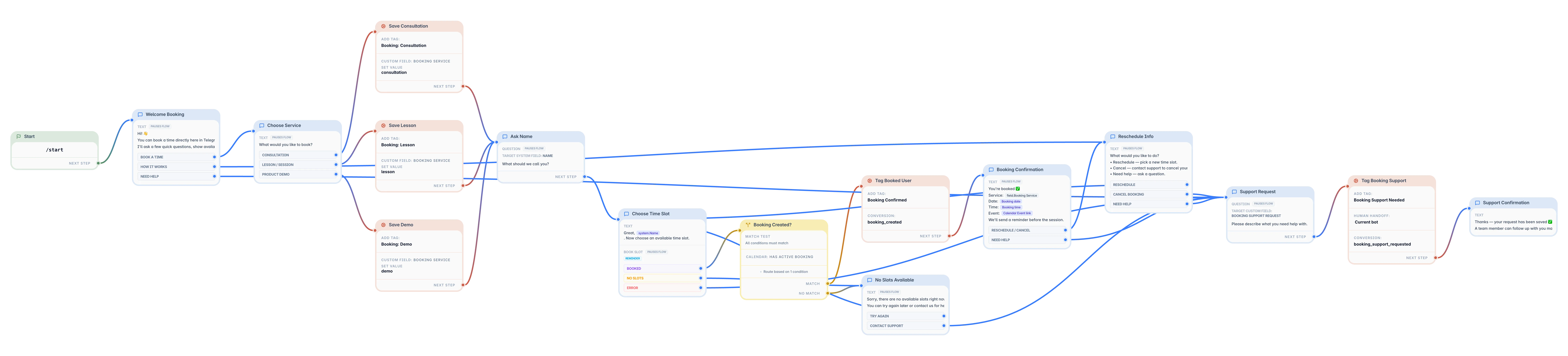
Bookings appear in your Google Calendar, and clients only see free slots in your working hours.
Clients pick a free slot from your calendar, confirm in a couple of taps, and get a reminder before the session. You stop arranging times in private messages.
Agreeing on one time takes five messages and half a day.
Clients forget, and you wait for someone who is not coming.
Two people end up in the same slot when you update the calendar by hand.
Clients abroad turn up an hour early or an hour late.
TeleGo takes booking over: clients book themselves, your calendar fills up, and reminders go out on time.
Pick the template, connect your Google Calendar, set your working hours, and publish.
Free slots, confirmations, and reminders, all inside Telegram.
Bookings appear in your Google Calendar, and clients only see free slots in your working hours.
The bot reminds clients before the session, so fewer people forget and you do not have to.
Clients move or cancel a booking themselves, and the slot opens up for someone else.
Separate booking paths for a free intro call, a full session, or a package.
Slots follow your business time zone, and the bot can show it to clients.
Start with a use case your team already understands, then customize the details in the editor later.
Client chooses a free intro call
Bot shows free slots
Client picks a time
The booking appears in your calendar
Bot reminds the client before the call
TeleGo is self-serve, but early users can get guided setup help from our core team so your first bot goes live without the guesswork.
How to let clients book sessions in Telegram without arranging times by hand.
Answer client questions, collect requests, and take bookings and payments in Telegram. Describe it in plain words, no code required.